RUSTRIAL OS
A strictly hobbyist x86-64 bare-metal operating system kernel written in Rust.
Code Safe. Run Fast.
Built for Performance
Rustrial OS is designed from the ground up for safety and speed
Network card driver with DMA and DNS resolver support
Virtual filesystem with in-memory storage and script embedding
CPU info, PCI enumeration, and RTC via native C/Assembly
Memory safe systems programming
Direct hardware control, no OS
Cooperative multitasking pattern
Complete networking from scratch
Kernel Modules
Modular architecture with specialized subsystems
See the Code
Real examples from the Rustrial OS kernel: interactive menu, networking, and shell
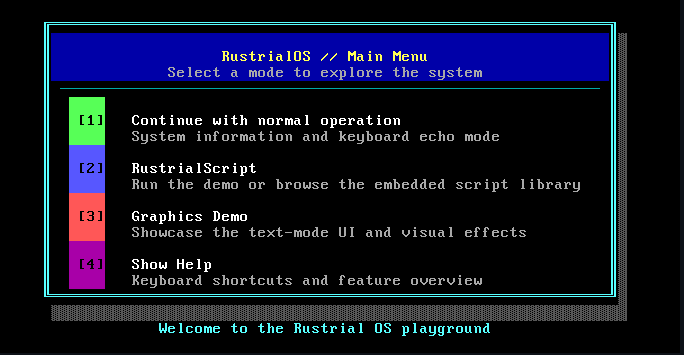
Interactive Menu
rustrial_menu.rspub fn show_menu() {
loop {
println!("1. Normal Mode");
println!("2. RustrialScript");
println!("3. Graphics Demo");
println!("4. Hardware Info");
println!("5. Help");
println!("6. Desktop");
match read_key() {
b'1' => normal_mode(),
b'2' => script_menu(),
b'6' => desktop::launch(),
_ => continue,
}
}
}TCP/IP Stack
tcp.rspub async fn tcp_connect(
dst_ip: Ipv4Addr,
dst_port: u16,
) -> Result<TcpSocket> {
let socket = TcpSocket::new();
socket.send_syn(dst_ip, dst_port);
socket.wait_for_syn_ack().await?;
socket.send_ack();
socket.state = Connected;
Ok(socket)
}Shell Commands
shell.rsmatch cmd.as_str() {
"ls" => list_directory(args),
"cat" => read_file(args),
"mkdir" => create_dir(args),
"ping" => ping_host(args).await,
"ifconfig" => show_interfaces(),
"run" => execute_script(args),
"clear" => vga_clear(),
_ => println!("Unknown: {}", cmd),
}Why Rustrial OS?
Rustrial OS demonstrates modern systems programming with Rust, featuring an interactive menu system, Desktop GUI with mouse support, RustrialScript language with VM, full shell with filesystem operations, and complete TCP/IP networking including DNS resolution. Built from scratch with zero dependencies on standard library, it achieves memory safety without garbage collection.
Core Features
Memory Safe
Built with Rust to prevent null pointer dereferences, buffer overflows, and memory leaks. 100% safe with zero-cost abstractions.
Desktop GUI
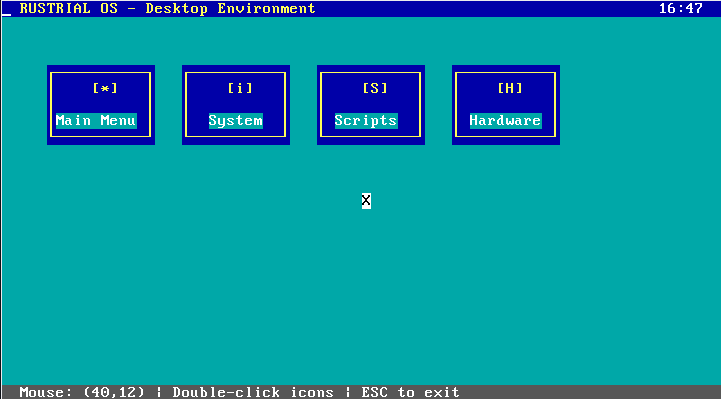
Interactive graphical environment with mouse-driven interface, icon system, and multi-window support.
RustrialScript
Stack-based scripting language with VM, control flow, and VGA integration. Run scripts directly in the OS.
Full TCP/IP Stack
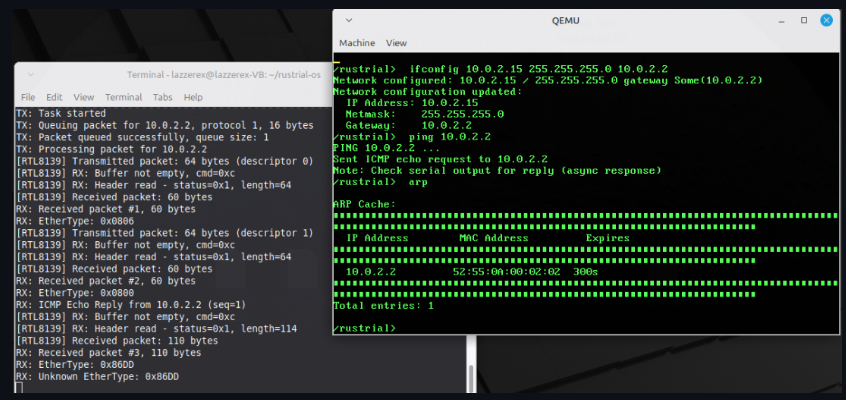
Complete networking with RTL8139 driver, DNS resolver, ARP, ICMP ping, UDP, and TCP with congestion control.
Async/Await Runtime
Cooperative multitasking with waker-based scheduling, async keyboard/mouse processing, and network I/O.
Interactive Shell
Command-line interface with filesystem operations, network diagnostics, command history, and scrollback buffer.
See Rustrial OS in Action
Explore the visual interface and capabilities of our bare-metal operating system
Main Interface
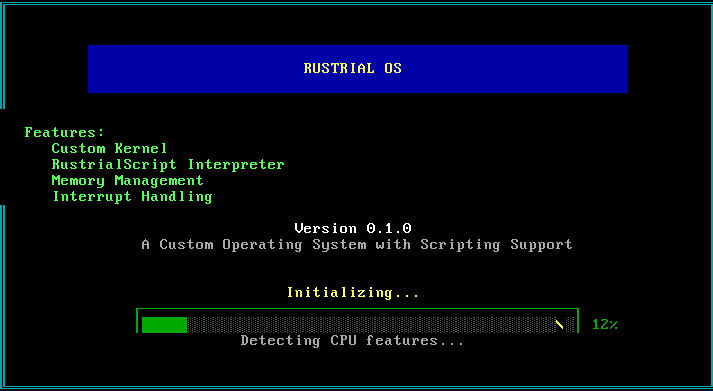
System Features
Desktop GUI
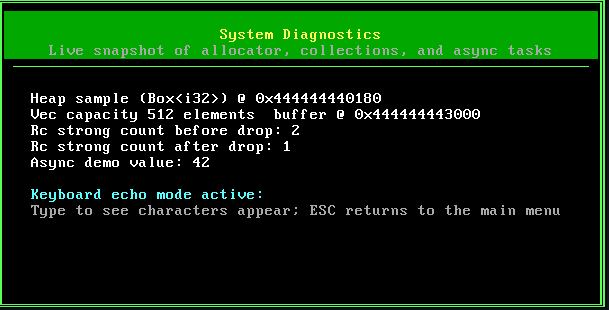
Interactive Shell
Advanced Features
Interactive Shell
Full-featured command-line interface with history and scrollback
Try the Interactive Shell
Experience the Rustrial OS shell right in your browser. Type commands and see real-time responses.
ls /scripts, cat fibonacci.rscript, or run fibonacci.rscriptGet Started
Build and run Rustrial OS from source in minutes
Build from Source
Clone the repository and build Rustrial OS yourself
# Install Rust nightly toolchain
rustup install nightly
rustup override set nightly
rustup component add rust-src llvm-tools-preview

# Install bootimage tool
cargo install bootimage

# Clone and run
git clone https://github.com/lazzerex/rustrial-os.git
cd rustrial-os
cargo runAbout the Creator
Hey there!
I'm a Software Engineering student who loves building stuff, both the kind users interact with and the low-level systems that make it all work. Rustrial OS came from wanting to really understand how computers function when you strip away all the abstractions.
I work across the full stack with React and Next.js on the frontend, Laravel for backend APIs, and Flutter for mobile apps. But what really excites me is systems programming with Rust. Beyond this OS, I've built developer tools, image converters, and even a small programming language in Rust just to understand how interpreters work.
I care about performance and clean architecture, but mostly I just like building things to see how they work. Rustrial OS was the ultimate deep dive into bare metal programming, networking stacks, and making something functional from absolutely nothing.
Get in Touch
Feel free to reach out for questions, collaborations, or just to chat about OS development!
Open to opportunities and collaborations